

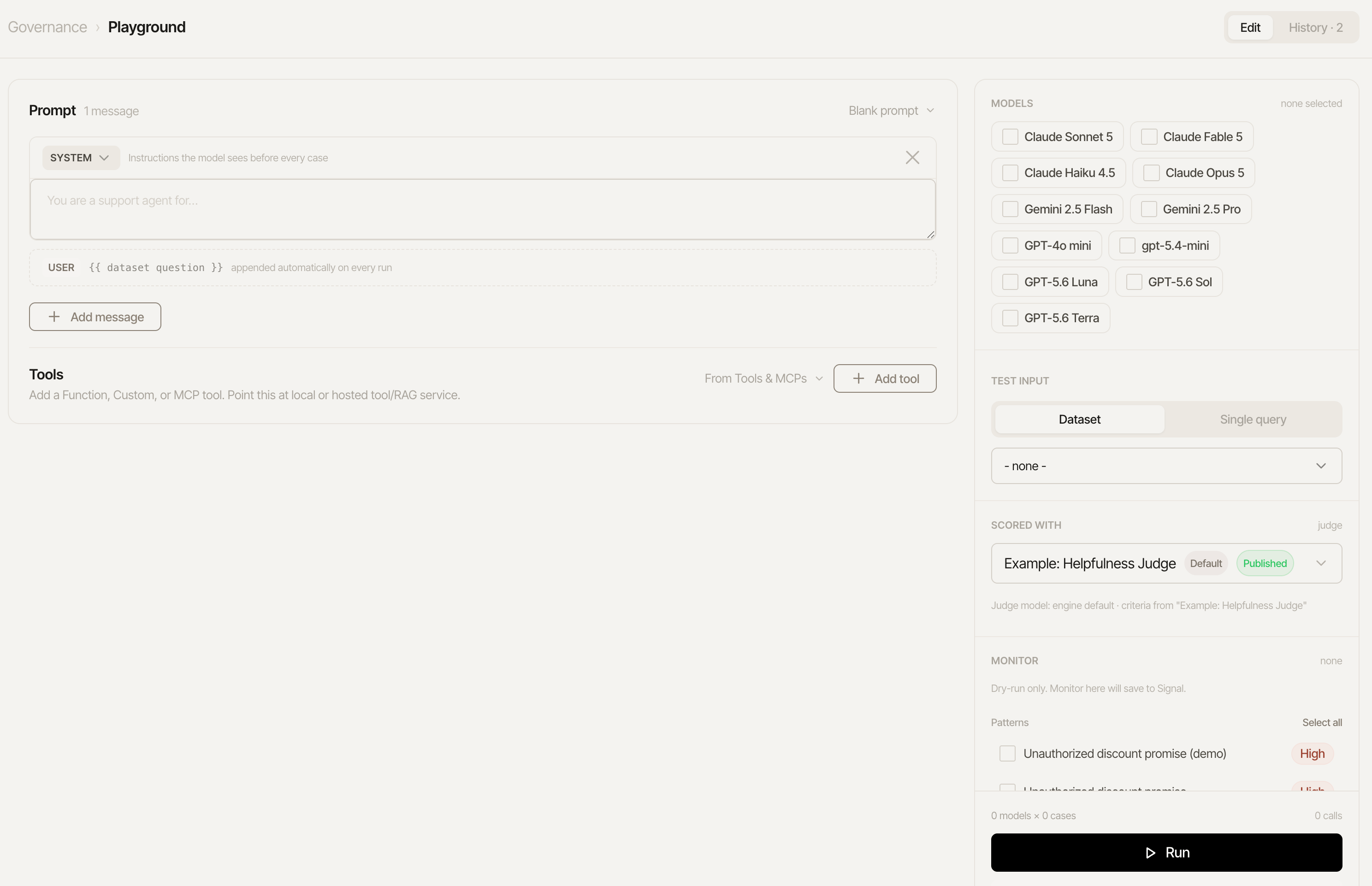
Fastest way to run test on different models against your datasets with any prompt, tools, and MCPs
- Edit a multi-turn prompt - system message, optional few-shot user/assistant example turns - freely, or load a saved prompt’s current version from the Prompt Registry as a starting point.
- Select one or more models from the same dashboard-managed model catalog Model portability uses - OpenAI, Anthropic, Gemini, or custom (any OpenAI-compatible endpoint such as vLLM, Ollama, or LM Studio).
- Pick an existing dataset and check which of its questions to include.
- Run (the button reads “Run N cells” once models and cases are picked) fires the whole (question × model) grid for real - each cell independently shows the actual output, latency, tokens, and estimated cost, plus a judge rating whenever that question has an expected answer, and each of the dataset’s enabled code scorers’ results alongside it. At most 4 cells run at once (a fixed concurrency cap, so a large grid doesn’t trip your provider’s rate limits) - the rest queue and fill in as earlier ones finish.
Scorers: one panel, two roles
The sidebar’s single Scorers panel covers both grading and monitoring - every LLM judge scorer and custom pattern is one row:- Exactly one judge carries the star: it grades the run - reference-based against the dataset case’s expected results, supplying the score and its rubric (the workspace’s default scorer is preselected, provisioned automatically on first use). Similarity metrics and repetitions are offline-run features - the Playground never computes them.
- Scorer groups appear as rows too, and a group can be starred as
the grader (sent as
scorerGroupId): the group’s 0-10 aggregate fills the cell’s rating and each member’s verdict shows alongside, the same contract group-graded dataset runs have. - Checked rows additionally dry-run the way live monitoring would: each cell gets a badge per check - a pattern’s reads “Matched” / “No match”, a judge’s shows its reference-free rating. Nothing here saves signals or spends beyond the checks you tick. Starring a judge removes it from the check set - the grader never runs twice.
- Row hover Edit and New judge scorer open the unified scorer editor without leaving the Playground; a freshly created judge becomes the grader.
Tools
The Playground tests prompt and tools together. Add a tool ad hoc, or pull one straight from the Tools & MCPs registry with the From Tools & MCPs picker - name, description, and parameter schema come in as the registry’s current published version. The endpoint URL is optional:- Blank (simulated): the tool is still sent to the model, and its calls return a canned
{ "simulated": true, "status": "ok", "arguments": ... }result (the arguments echoed back) - so whether the prompt/model choose the tool and form valid arguments is fully testable with zero infrastructure. The cell’s tool-call trace shows the arguments and marks the result simulated, so nothing pretends to be a real lookup. - Set: each call POSTs
{tool, arguments}to your real service and feeds the actual response back to the model - the full loop, including how the prompt handles real tool outputs.